
How to use Clever Groups to determine classroom seating
One of the most popular uses for Clever Groups is to help determine classroom seating. Classes vary all over the world in terms of number of students, class furniture, teaching styles, the amount of seating available and the size of the classroom.
In addition, classrooms may be filled throughout a school day with different groups of students based on different subjects taught. Even with the same group of students, a teacher may want to have temporarily-different seating for different topics or activities.
All of these factors may need to be taken into account when determining seating.
Lets look at one potential use case to provide some information on how to use Clever Groups.
Scenario. A teacher has a classroom of 30 kids comprising 30 chairs at 7 tables - 6 tables seat 4 students and 1 table seats 6 students.
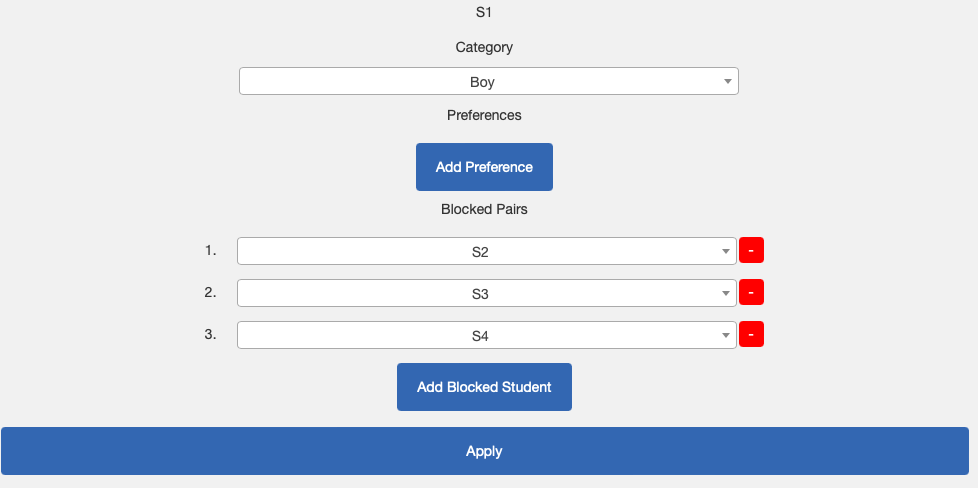
Four students are disruptive - coded as S1, S2, S3 and S4 - and should be sat apart.
Six students are advanced learners - coded as S5, S6, S7, S8, S9 and S10 - and should be spread across the tables to help others.
For this example I will make it really tough on Clever Groups and in the student preferences, all boys only preference boys, and all girls only preference girls. Obviously in a co-education school this is not normal perhaps, and will lead to lower overall group satisfaction.
Objective: For the next school term the teacher wants to see multiple proposals for seating combinations, meeting the following goals:
- Maximise group and individual satisfaction and report overall satisfaction
- Block some student combinations to minimise disruptions, maximise scholastic outcomes
- To have equal numbers of boys and girls at each desk
- Spread advanced learners across tables
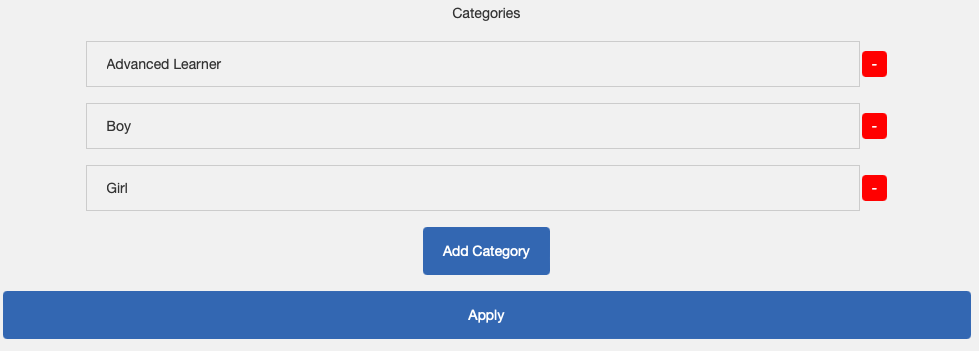
Approach: Use categories to create spread people across groups. Create an Advanced Learner Category, and a Boy and Girl category. For each disruptive student, ensure all three other disruptive students are blocked from being combined with any of them.
Step 1. Create Categories
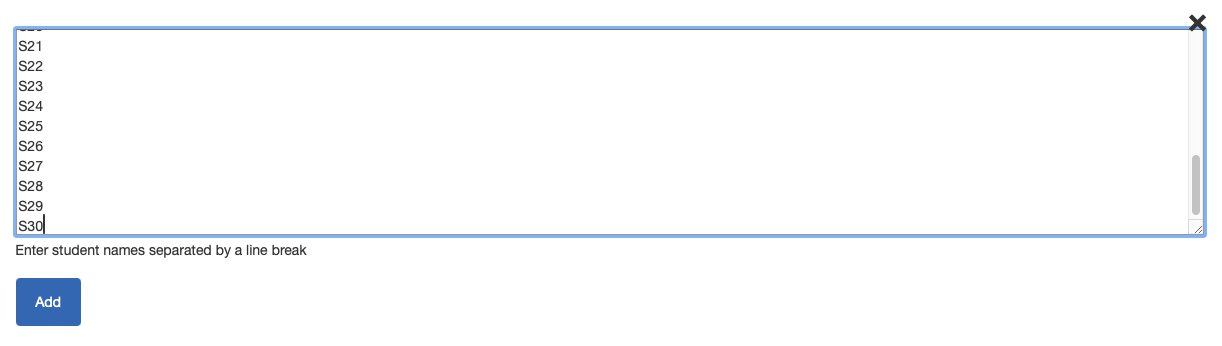
Step 2. Add each Student
Step 3. Block the disruptive students from being combined.
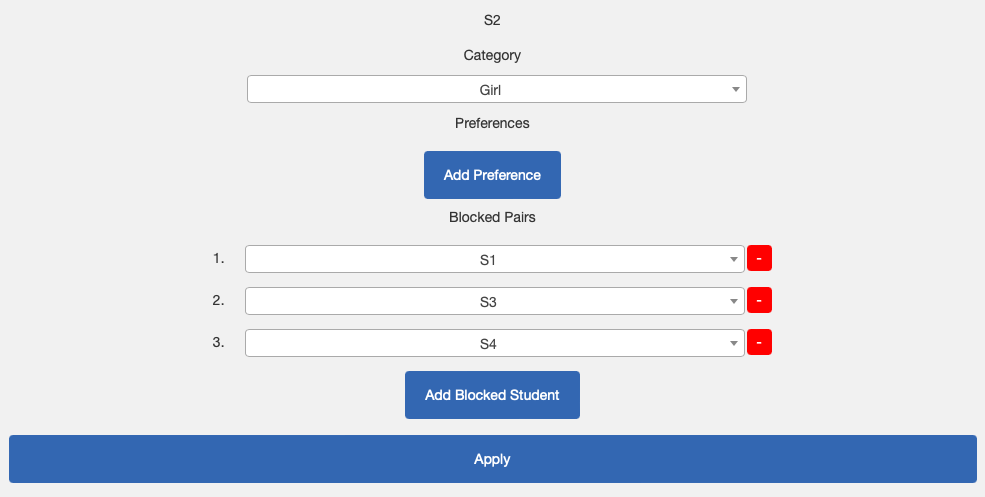
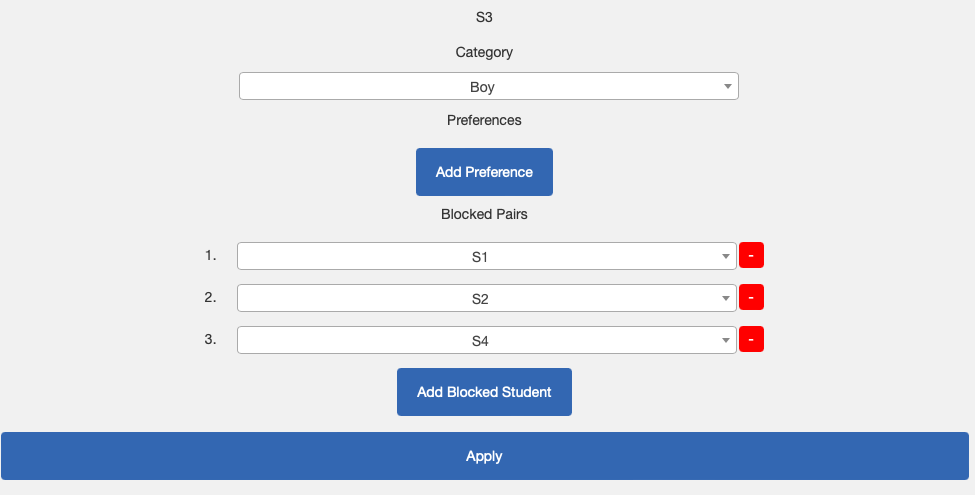
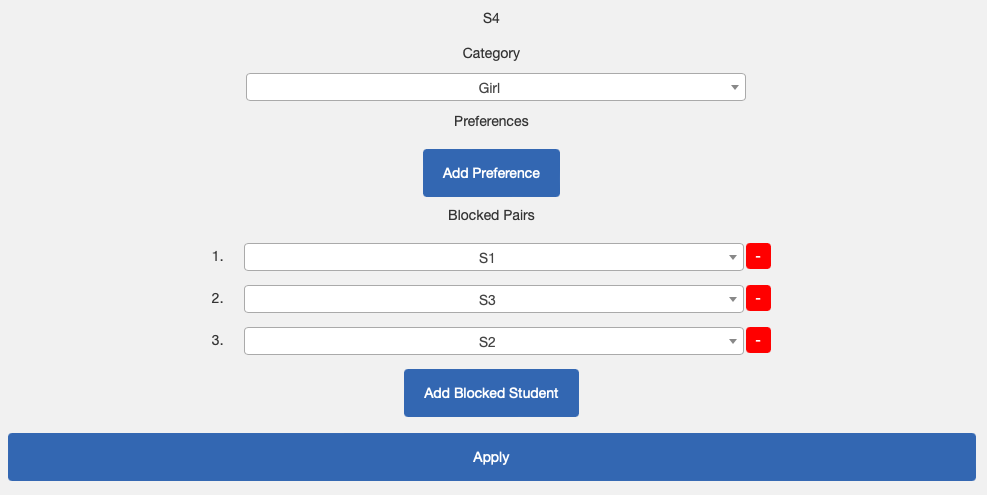
Step 4. Categorize the Advanced Learners.
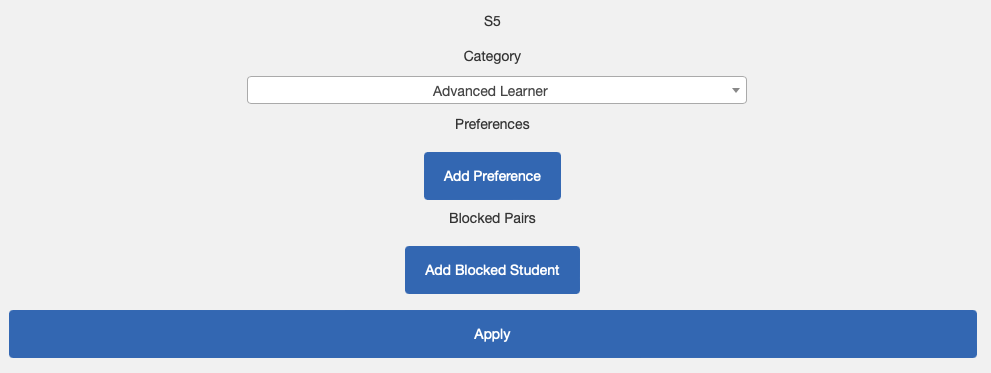
Do the same for S6, S7, S8, S9 and S10.
Step 5. Obtain students own preferences from the students themselves! This could be done on a piece of paper written by each student, but is faster sending out the team code or a link provided by Clever Groups in an email.
For this example, we assume:
- we have asked the students to provide their top 3 preferences only.
- the disruptive students prefer each others' company and one or more of the non-disruptive students in the class.
- the Advanced Learners prefer each others' company as well as one or two of the non-Advanced Learners.
- those not Advanced Learners or Disruptive prefer each others' company.

Step 6. Optionally, once you have all the information, you can change the Team Status to Closed to prevent more input whilst generating groups. (You can reopen it later if needed).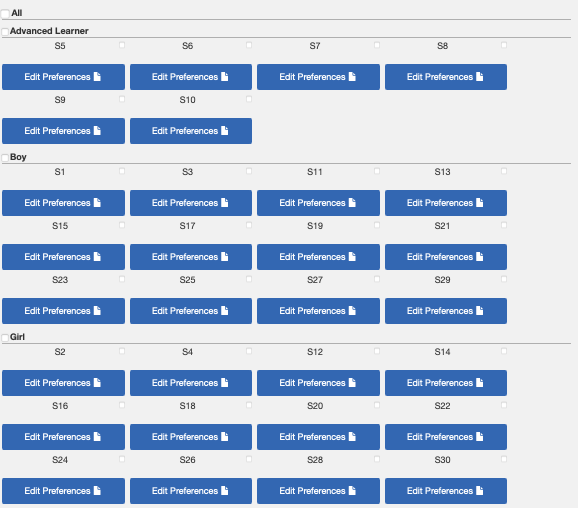
Step 7. Generate Groups using table sizes and category distributions
In order to spread the 6 advanced learners across 7 tables, we will put one on each table, obviously leaving us short on 1 table, but this is the best we can do with this constraint.
Having entered the blocking combinations, we don't need to be concerned about that, and Clever Groups will take that into account.
However we also want to spread equal numbers of boys and girls across the tables. For this exercise, it is not important the gender of the advanced learner, but we could take that into account by creating a "Boy Advanced Learner" and a "Girl Advanced Learner" if required.
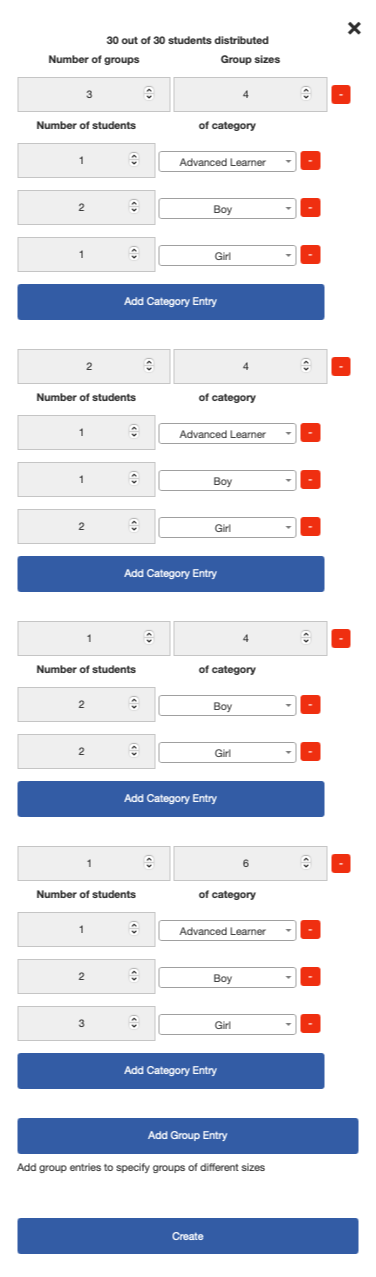
We need to model the table seating in this step as well - we have 7 tables - 5 tables seat 4 students, and 1 table seats 6 students.
Firstly, let's enter the tables. We could enter these in a straightforward way like the below, however with only 6 Advanced Learners we won't be able to distribute them unless we specify the table configuration in a more detailed way.
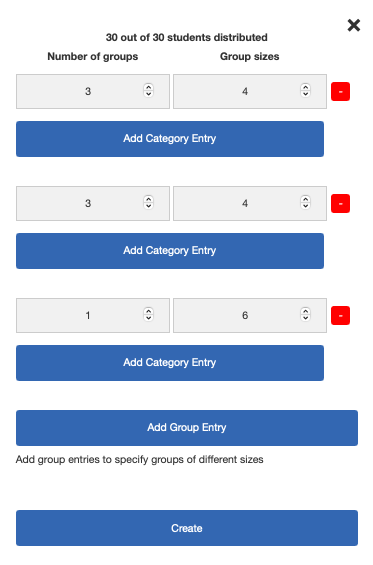
Lets represent the above this way:
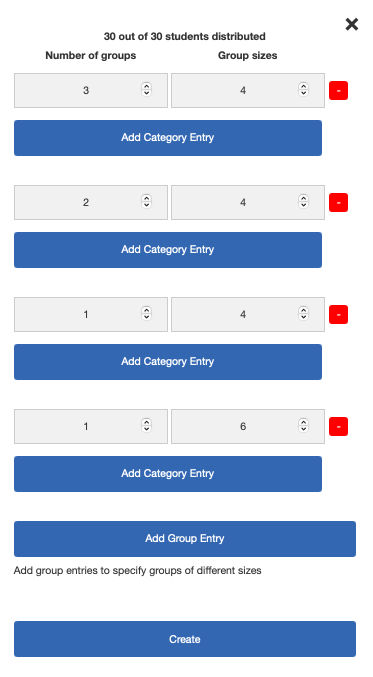
This gives us at least 6 groupings that we use to spread amongst the Advanced Learners.
Now, let's spread the Advanced Learners across the tables - in this example I will put 1 Advanced Learner on five of the tables of 4, and 1 on the table of 6.
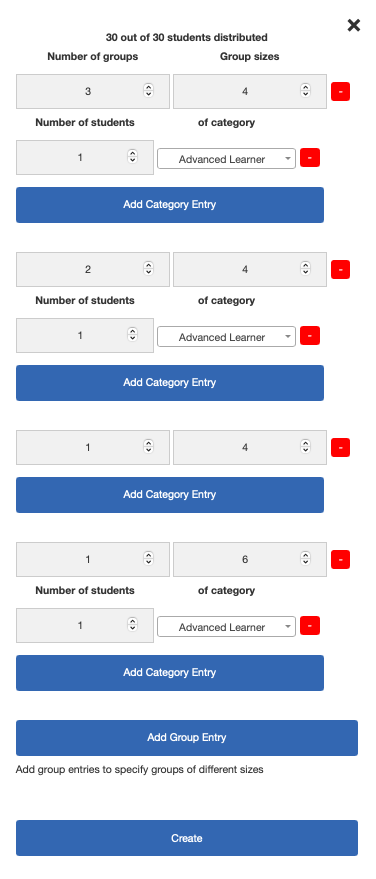
Now lets spread the Boys and Girls across the groups evenly.
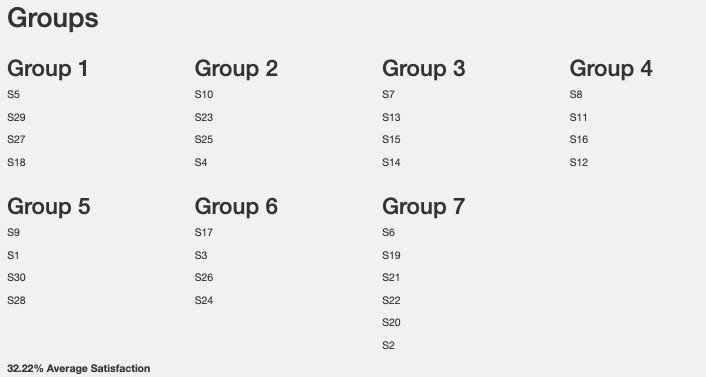
This produces a 32% student group satisfaction, however it has satisfied the teacher's requirements as best as the furniture and seating constraints allow, and ensured a spread of boys and girls, and no blocked combinations. With these overriding constraints of the teacher, the groups satisfaction has been optimised.
The four disruptive students S1 to S4 are on different tables.
The six Advanced Learners S5 to S10 are on 6 of the 7 tables.
Three tables of 4 have a 50/50 split of Boys and Girls, two tables have 1 girl and 3 boys, and another 3 girls and 1 boy. The table of 6 has 4 girls and 2 boys.
If this 32.22% appears low in terms of group satisfaction, it might be interesting to determine what is driving that. The most likely cause is the extreme restriction I placed on the scenario, that boys are only preference boys, and girls, girls.
However that aside, let's look at removing the other constraints.
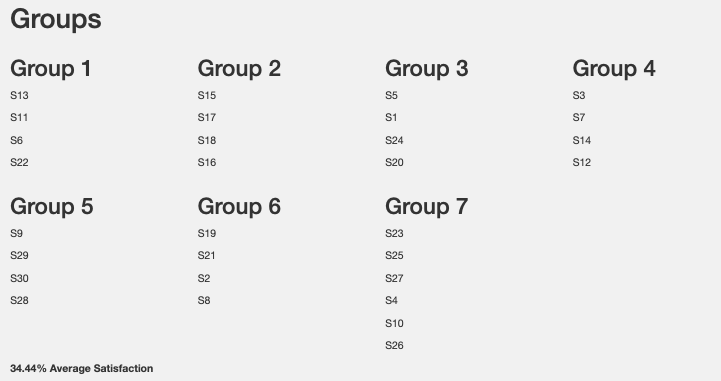
Firstly if we remove the Advanced Learners as a concept from the scenario and just label them Boy or Girl and regenerate the group, then (with the same student preferences), we get a lift to 34.44% average satisfaction, which isn't a huge leap. So it appears it's not the need to spread Advanced Learners that might be causing the lack of satisfaction under all the constraints.
If we then remove the blocked student combinations, and allow their preferences to override the teacher's, we produce the following:
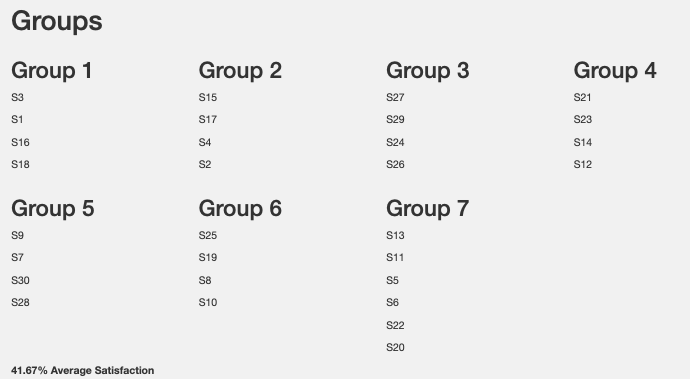
We have now lifted overall student group average satisfaction to 41.67% but we have put the disruptive students together across 3 tables, and bunched up the Advanced Learners on a few tables.
Obviously the specific preferences used in this scenario is a large contributor to the possible maximum percentage satisfaction. In any other scenario, your results would be entirely different.
One way the satisfaction could be lifted under any scenario is allowing students to provide more than 3 preferences. With 4 or 5 preferences in this scenario, the overall satisfaction could be lifted further.